Bring your own drive
Any standard USB-A or USB-C flash drive works.
Choose Your Plan
Necron keeps your files private before they reach the cloud. Start free to try it, upgrade when you need maximum protection with keys stored on a dedicated USB drive.
Great for getting started
Billed monthly
Best for sensitive files
Compare Plans
Both plans keep your files private. Pro adds extra security and flexibility for when you need more.
| Necron Free | Necron Pro | |
|---|---|---|
 Number of vaults
|
1 vault | Unlimited vaults |
 Storage cap
|
1 GB | No storage cap |
 Cloud mirroring
|
||
 Automatic vault recovery
|
||
 Per-file encryption
|
||
 2FA vault lock
|
||
 USB key drive support
|
— | |
 Backup USB key support
|
— | |
 Key physically separated from data
|
— | |
 Best for
|
Getting started with private storage | Sensitive files and advanced protection |
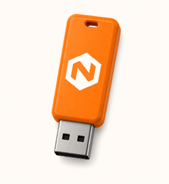
Pro uses your own standard USB flash drive to hold the encryption key. Necron securely prepares the drive during setup. No special hardware is required.
Any standard USB-A or USB-C flash drive works.
The app securely formats and initializes it during setup.
A second key drive protects you if the first one is lost or damaged.
FAQ
Yes! You can upgrade to Pro anytime from your account settings in the app. Your existing vault and files will be preserved.
You provide your own USB key drive — any USB-A or USB-C flash drive with at least 1 GB capacity works. The Necron app will securely format and initialize the drive during key setup. No special hardware required — just a standard USB drive you probably already have.
Your encrypted data remains accessible. Your account will revert to Free tier limits (1 vault, 1 GB). You'll need to reduce your usage to within Free limits, but we'll never delete your data without your explicit consent.
We use Paddle as our payment processor. Your credit card details are handled entirely by Paddle and never touch our servers. Paddle is PCI-DSS compliant.
Yes, we offer a 30-day money-back guarantee. Contact support@necronsolutions.com for refund requests.